
Skip to content
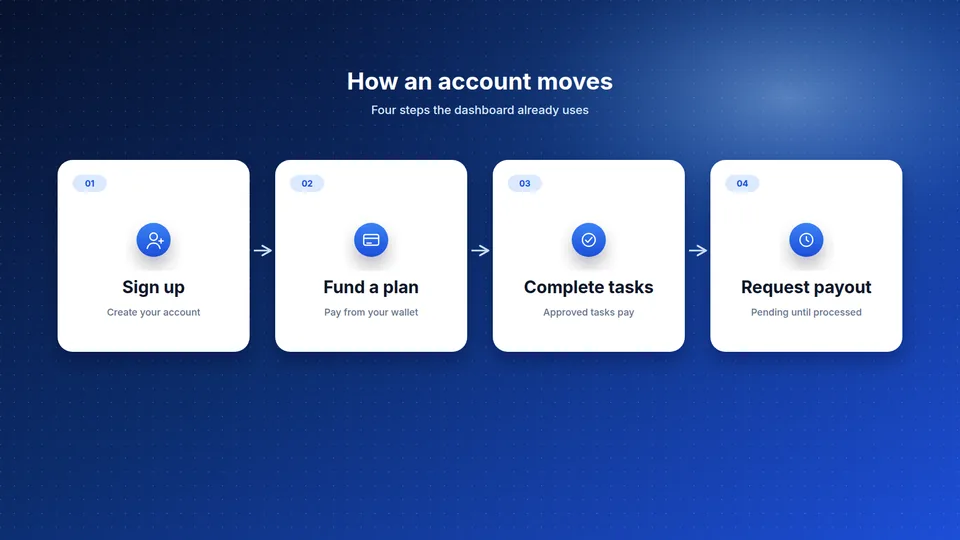
Diagram of four steps: sign up, fund a plan, complete tasks, and request a payout

Short how-tos for the main account flows

No news posts. Just the steps the dashboard runs.

Create an account

Open Get started and enter your email and a password. A password account has to confirm the email code before the dashboard opens. If two-factor authentication is turned on later, sign-in uses the authenticator app instead of that email code. Five failed password attempts lock the account for 15 minutes.

Read a plan before you fund it

On the plans page, or in the dashboard catalog, read the price, the range when there is one, earnings per task, total return, task count, duration in days, and payment frequency. Total return on a card is earnings per task multiplied by the task count. Fund the plan from your wallet only after those figures make sense to you.

Add funds

Deposits start in the dashboard. A deposit is credited to your balance after it is approved. The minimum deposit is an admin setting. If deposits are turned off, the dashboard shows that, and this site says so on the home page.

Complete tasks

Plans you fund sit in a portfolio. Tasks are assigned from the library on the plan’s schedule. You submit a task for review. It pays the per-task amount scaled to the capital you put in, after it is approved.

Request a payout

Identity verification has to be approved first. Then request a withdrawal, confirm it with an emailed code or your authenticator app, and wait. The request stays pending until it is processed. The minimum withdrawal is an admin setting.

Share a referral code

When referrals are enabled, Referrals in the dashboard shows your code. An approved deposit from someone who used it can credit a bonus at the commission rate in settings. A signup by itself does not pay the bonus.

Start earning with Affiliate Global today

Create your free account in minutes, pick a plan, and track every reward in one dashboard.

  • Secure accounts
  • Live plans
  • Payout requests